AI can turn a short requirement into a long list of test cases. That makes it useful for getting started. The next step is deciding which cases are correct, which repeat the same check and which important conditions are still missing.
A practical workflow makes that review part of the work from the beginning.
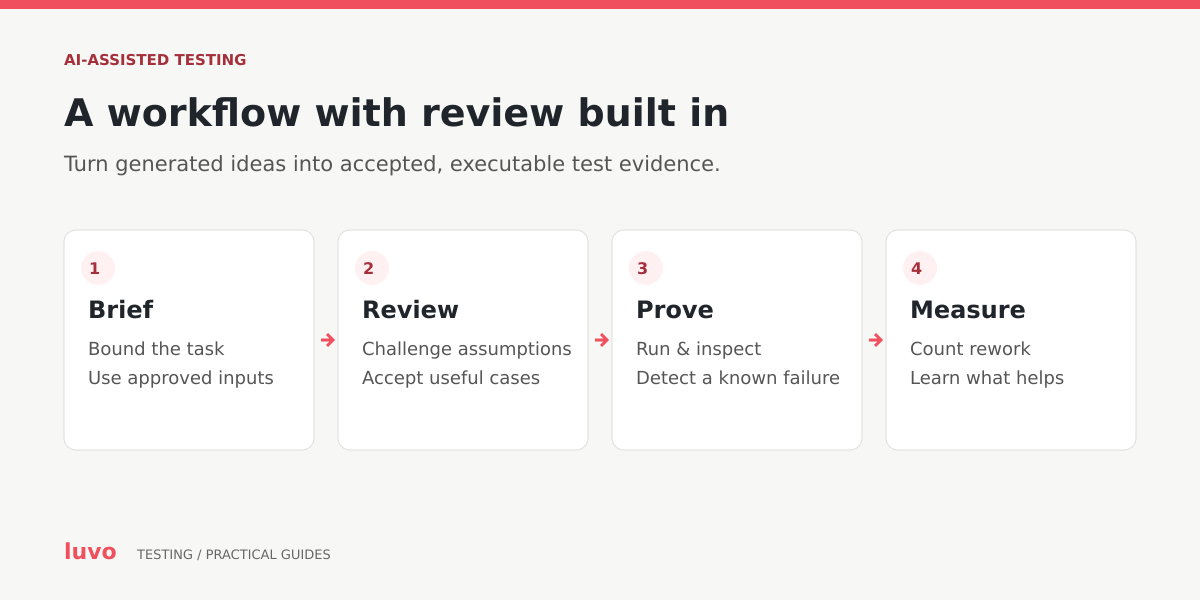
1. Give it a precise job
Use a bounded task, an approved source requirement and a clear output format. Ask for assumptions and unresolved questions alongside candidate tests. Keep generated suggestions separate from accepted requirements.
For example, consider this fictional rule: a purchase request above $5,000 needs approval from both the department manager and Finance. The prompt should ask about the exact threshold, currency, tax treatment, delegate approval, changed requests and cancellation. The business owner must decide the answers; the model should not silently invent them.
2. Review the test design before automating it
Once the rule is clear, inspect values immediately below, at and above the threshold. Include missing data, unauthorised users and changes after approval. Trace every accepted scenario to a rule or identified risk.
Ask a reviewer to explain why each expected result is correct. This is a useful challenge for both AI-generated and manually written tests. If nobody can justify an assertion, generating more code around it will not make it reliable.
GitHub’s own guidance warns that generated tests may miss scenarios and recommends review and additional tests where needed. Writing tests with GitHub Copilot.
3. Control the data used in the exercise
Use fabricated examples where possible, and review them for the conditions you actually need. A generated purchase record is only useful if its totals, currency and approval state are internally consistent.
Before sending customer records, screenshots or logs to an AI service, establish what the tool is approved to receive and who can access the material. OAIC recommends caution with personal information in public generative-AI products. OAIC guidance.
4. Make generated automation prove something
Review the code, run it and deliberately test whether it detects a known failure. A test that opens a page and finds a button has not necessarily verified the purchasing outcome.
For browser tests, stable locators, isolated data and meaningful assertions make the result easier to trust. Playwright’s guidance provides practical examples of these techniques. Playwright best practices.
Current Playwright test agents can help plan, generate and repair tests. Keep changes reviewable, especially when a repair alters an assertion or leaves a scenario skipped. Playwright test agents.
5. Use AI to organise investigation
Ask for a summary of a failure, likely areas to examine and candidate reproduction steps. Check every conclusion against the original evidence. A plausible explanation is a starting hypothesis, and the next useful action is a test that can confirm or reject it.
The same approach works for exploratory testing: ask for overlooked journeys, then let a tester follow the most useful leads and examine the consequences.
6. Measure accepted work
Compare a representative task with the team’s previous approach. Record preparation time, review time, useful coverage, failures detected and maintenance effort. Include rejected output and rework in the comparison.
The best result is a testing workflow the team can explain and sustain. Start small, keep the reviewer accountable for the accepted tests and expand the use of AI where the evidence shows a real benefit.